

To view your affiliate earnings, click the Referrals button at the top of your account.

Under the Client Referrals list you’ll see a section for affiliate earnings.
This is where you can review your total affiliate earnings for the previous billing period.
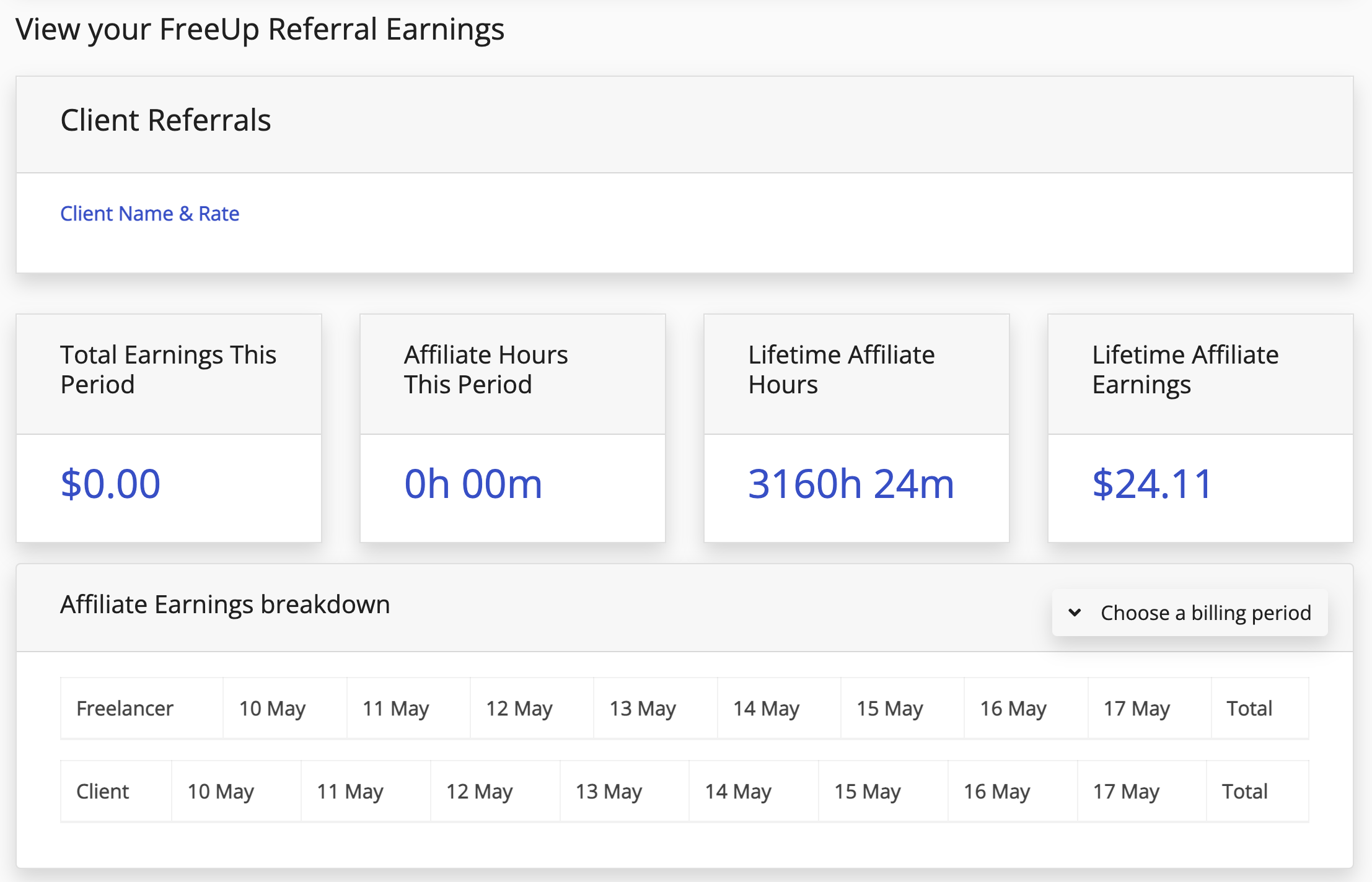
On the left side of the screen, you will also see the Choose a Billing Period dropdown box.
From this box, you can select different billing periods and view the affiliate earnings for those specific billing periods and the hours and referrals associated with them.
On this page, you will also see the Clients and Freelancers that you have referred and have been linked to your FreeUp account.
I'm missing some referral earnings! What should I do?
In the rare case that a referral is missing from your account, reach out to Accounting@FreeUp.net. We will make sure that the referral is added to your account and will backdate any affiliate earnings that you are entitled to.
If you have any additional questions about your FreeUp affiliate earnings, feel free to reach out to us via the Live Chat feature in your account or through email at Accounting@FreeUp.net.
Check Out Our Referral Program!
Do you love FreeUp? Do you know other business owners looking for freelancers?
Check out FreeUp’s referral program and earn money by referring business owners who need freelancers to FreeUp!