

Unsure whether you already billed your client or not?
Do you want to see how much is your total earnings for the week or for the month?
It’s simple!
Got to your FreeUp dashboard.
You’ll see a breakdown of your earnings for the week and for the month, along with the number of hours you billed.
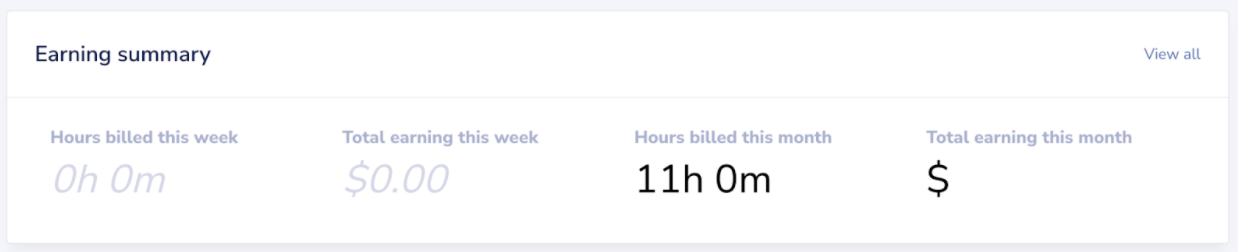
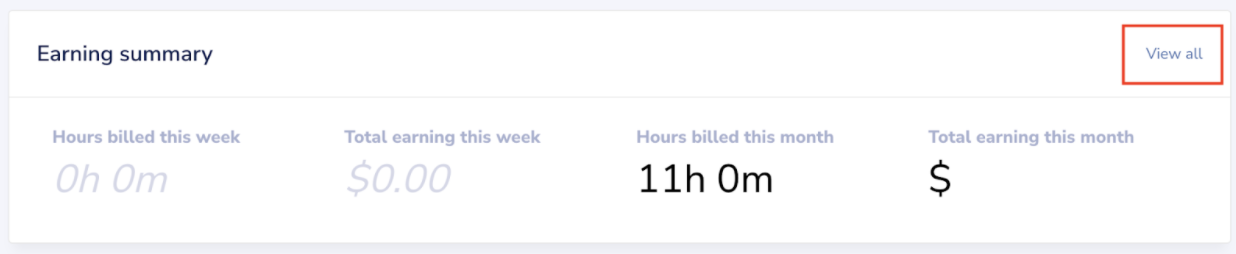
If you want to see the billing information for each client that you’re billing for, click View All.
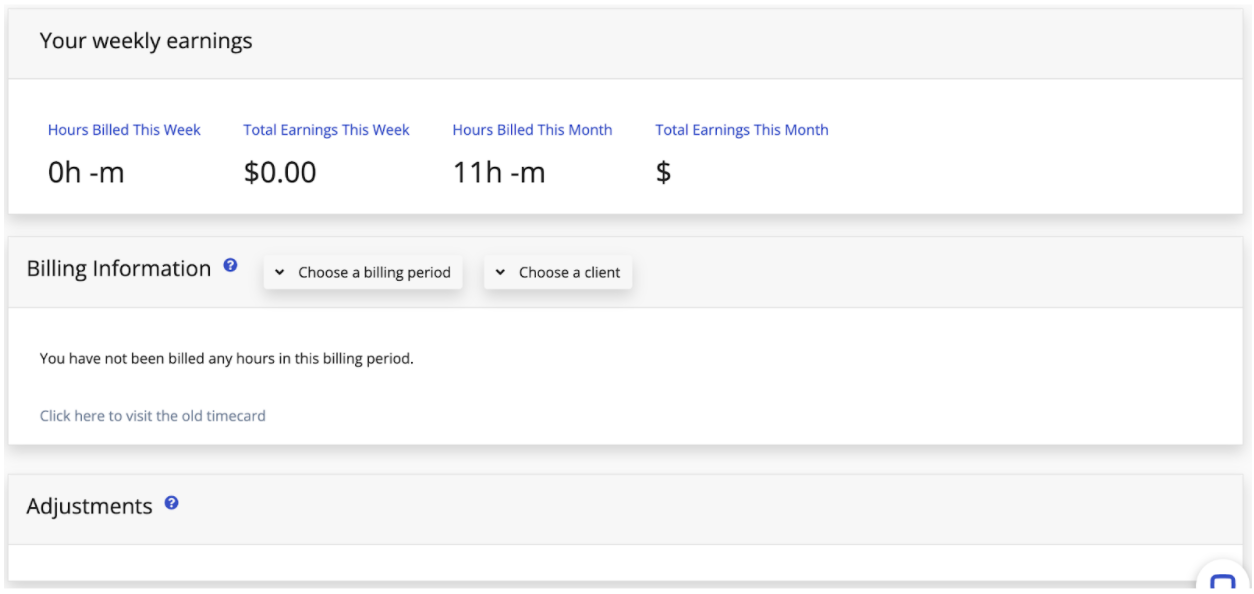
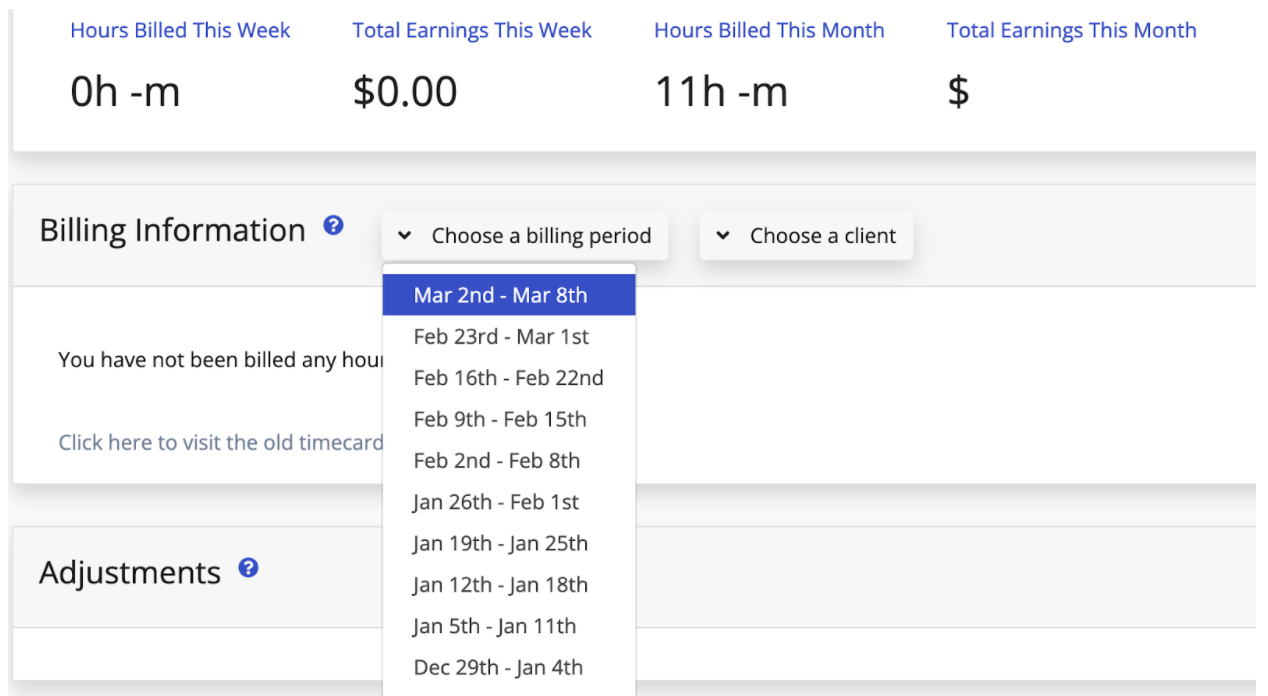
You can also choose the billing period to view, as well as the name of your client and/or business.
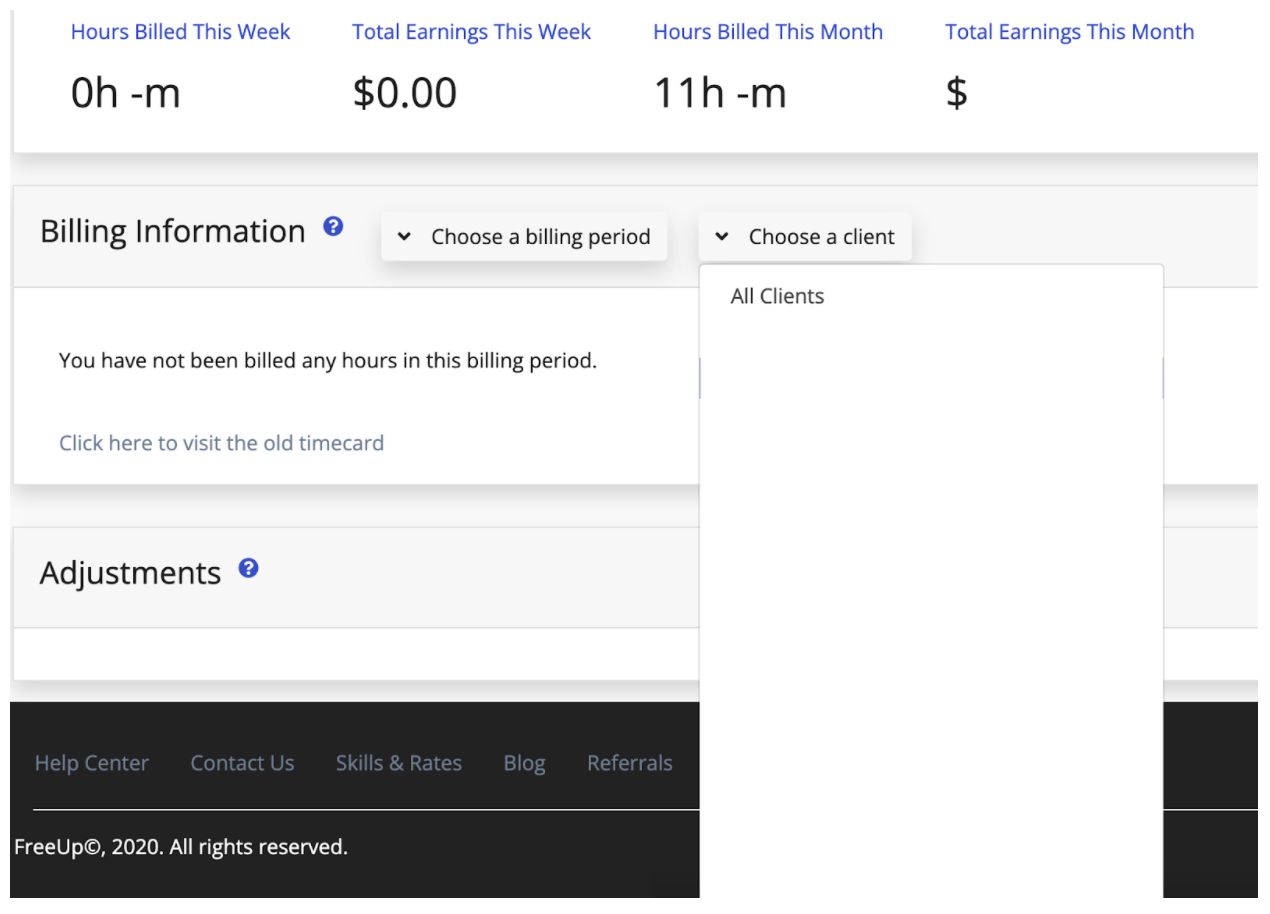
All the adjustments you requested for the current billing period can be found here too.

Check out our helpful video here:
Do you have any billing questions? Email accounting@freeup.net today!